
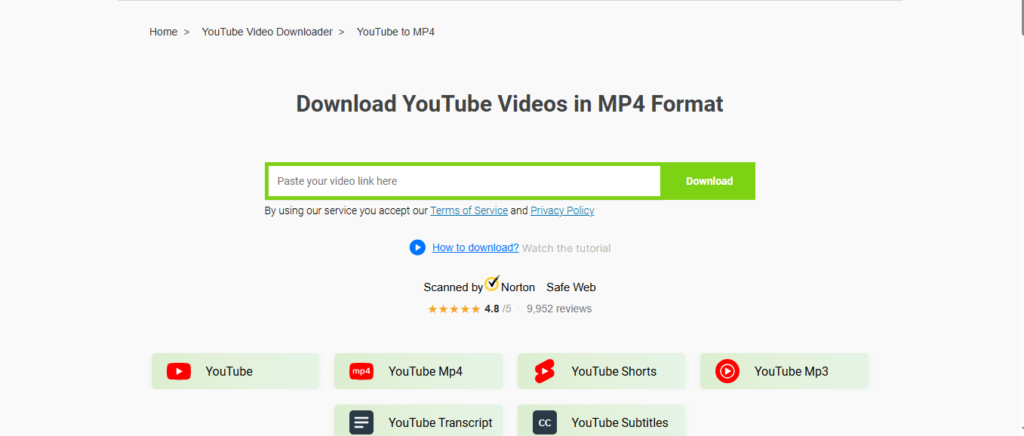
The best free YouTube to MP4 converters balance safety, speed, and output quality. Top picks include 4K Video Downloader, Y2Mate, ClipGrab, VLC Media Player, and SaveFrom.net — each offering MP4 exports without hidden fees, though browser-based tools carry more ad risk than desktop software.
Sometimes you just need a video offline. Maybe it’s a tutorial you want to review before a flight, a lecture you need to watch on spotty Wi-Fi, or a clip you’ve created for a personal project. The fastest way to get there is converting a YouTube video to MP4, the most universally compatible video format around. It plays on nearly every device, editing program, and operating system without a hitch.
The hard part isn’t the conversion — it’s finding a tool that does it safely. Search “YouTube to MP4 converter” and you’ll land in a minefield of flashing ads, fake download buttons, and browser extensions that quietly install more than you bargained for. This guide cuts through the noise with ten converters that actually work, broken down by how they operate and what makes each one worth your time.
What should you look for in a YouTube to MP4 converter?
Before jumping into the list, it helps to know what separates a trustworthy converter from a risky one.
- No forced software installs. Reputable web-based converters let you paste a link and download directly, without bundling unrelated apps.
- Clear resolution options. The best tools let you choose between 1080p, 720p, or lower resolutions depending on file size needs.
- Minimal ad clutter. Some ad support is normal for free tools, but excessive pop-ups or misleading buttons are a red flag.
- No account requirement. Many of the safest converters don’t ask for an email or login just to download a single video.
With those criteria in mind, here are ten converters worth trying.
Desktop converters for reliable, repeatable downloads
Desktop software tends to offer more control and fewer ads than browser-based tools, making it a solid choice if you convert videos regularly.
1. 4K Video Downloader
This desktop app supports batch downloads, playlist conversion, and multiple output formats including MP4. The free version caps daily downloads, but it’s one of the more polished options for Windows and Mac users who want a stable, ad-light experience.
2. VLC Media Player
Best known as a media player, VLC also doubles as a converter. It can stream and save YouTube videos using its “Open Network Stream” feature, then convert the file to MP4 through its built-in conversion tool. It’s free, open-source, and doesn’t come with the ad clutter typical of web converters — though the interface is less intuitive for beginners.
3. Freemake Video Downloader
Freemake supports downloading and converting videos to MP4, AVI, and other formats. The free version adds a watermark to longer videos, which makes it better suited for short clips than full-length content.
4. WinX YouTube Downloader
Designed specifically for YouTube, this tool converts videos to MP4 at various resolutions, including high-definition options. It’s lightweight and doesn’t require much setup, making it a good pick for users who want a no-frills desktop solution.
Browser-based converters for quick, one-off downloads
If you only need to convert a single video and don’t want to install anything, these web tools get the job done directly from your browser.
5. Y2Mate
One of the more widely used browser converters, Y2Mate lets you paste a YouTube URL and choose your preferred resolution before downloading. It works without an account, though like most ad-supported sites, it’s worth watching for misleading “download” buttons that are actually advertisements.
6. ClipGrab
ClipGrab combines a simple browser interface with the option to install a lightweight desktop version. It supports MP4 conversion and lets users select quality before downloading, with a cleaner layout than many competing web tools.
7. SaveFrom.net
SaveFrom.net has been around for years and remains a straightforward option for quick conversions. Paste the link, select MP4, and download. The simplicity is appealing, but as with most free web converters, ad blockers are recommended to avoid pop-ups.
8. OnlineVideoConverter
This tool supports a wide range of input and output formats beyond MP4, making it useful if you need flexibility. It processes videos directly in the browser without requiring downloads of additional software.
Mobile-friendly options for converting on the go
Not every conversion happens at a desk. These tools are built with mobile use in mind.
9. SnapTube
Popular on Android devices, SnapTube allows users to download and convert YouTube videos to MP4 directly within its app. Because it isn’t available through the Google Play Store, it requires manual installation, so download it only from the official SnapTube website to avoid counterfeit versions.
10. TubeMate
Another Android-focused option, TubeMate offers resolution selection and batch downloading. Like SnapTube, it’s distributed outside official app stores, so stick to the verified source when installing.
Which converter is right for you?
Choose a desktop tool like 4K Video Downloader or VLC if you convert videos frequently and want fewer ads and more control over output settings. Choose a browser-based tool like Y2Mate or ClipGrab if you need a quick, one-time conversion without installing anything. Choose a mobile app like SnapTube or TubeMate if you primarily watch and convert videos from your phone.
Whichever option you pick, a few habits will keep the process smooth. Stick to official websites rather than third-party download mirrors, which often bundle unwanted software. Use an ad blocker if you’re relying on browser-based converters, since misleading buttons are the most common source of accidental downloads. And always check your local laws and YouTube’s terms of service before downloading copyrighted content — converting videos you don’t own or haven’t been given permission to download can raise legal issues depending on where you live and how the content is used.
Converting YouTube videos to MP4 doesn’t have to be complicated or risky. Whether you prefer the control of a desktop app, the convenience of a browser tool, or the portability of a mobile converter, there’s an option on this list suited to your workflow. Start with the tool that best matches how often you convert videos and how much control you want over the output, and you’ll have offline-ready files in minutes.